Hack4Impact Recruitment Portal Redesign
Redesigning Hack4Impact’s recruitment portal to streamline applications, centralize data, and create a more transparent experience for applicants and reviewers.
Timeline
5 months
Tools
Figma
Slack
Team
2 Designers
2 PM’s
2 Tech Leads
7 Engineers
Contribution
Led the redesign of Hack4Impact-UMD’s internal recruitment portal, reviewer dashboard and application form.
Conducted research with the Director of Recruitment and reviewers to uncover pain points in the fragmented application process.
Helped create the design system
Guided our design team in running user tests and collaborating with engineers and project managers to align on feasibility.
About
Hack4Impact is a student-led organization that partners with nonprofits to create digital solutions for social good. As part of the University of Maryland chapter, the team designs and develops technology-driven tools that empower communities and promote social impact.
My team worked on redesigning Hack4Impact -UMD’s internal recruitment system. We created:
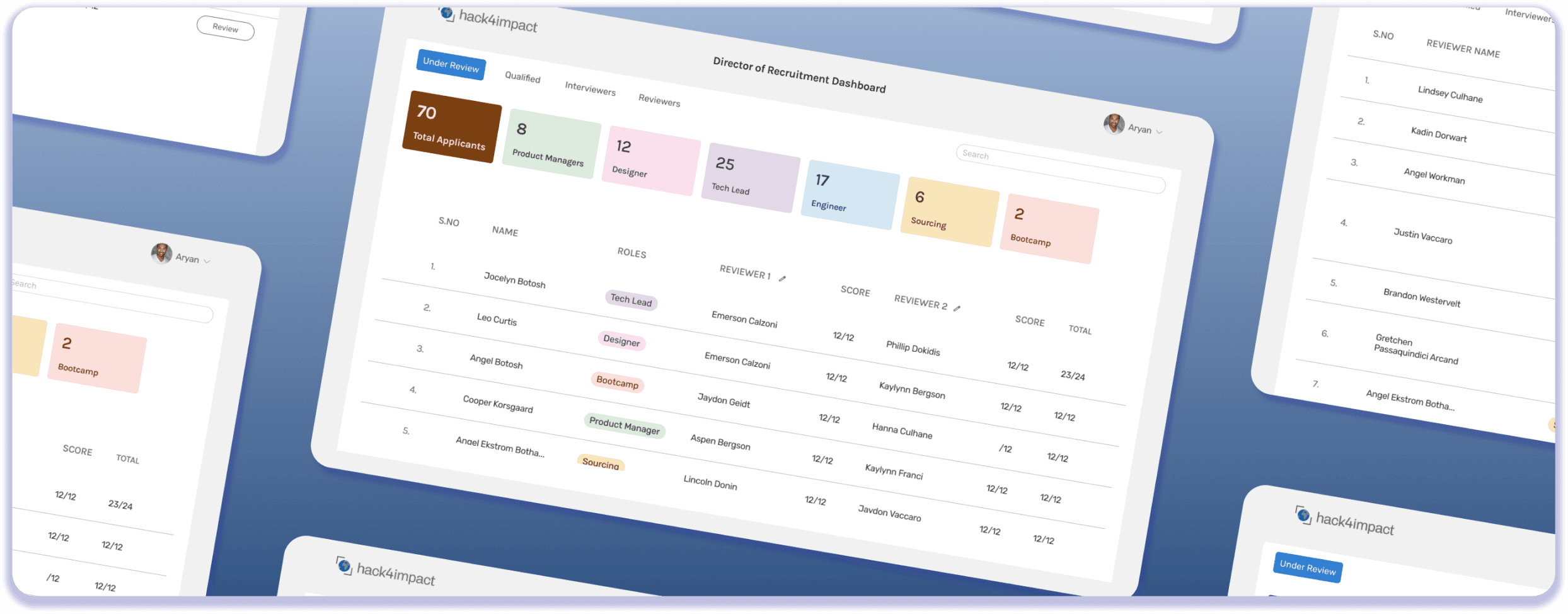
Centralized dashboard
Made the experience more transparent and engaging for applicants.
Simplified application flow that improved efficiency
Reduced reviewer workload
00 OVERVIEW
The Challenge
Hack4Impact-UMD’s recruitment process faced several challenges.
The 33-page application form often discouraged prospective students from completing it
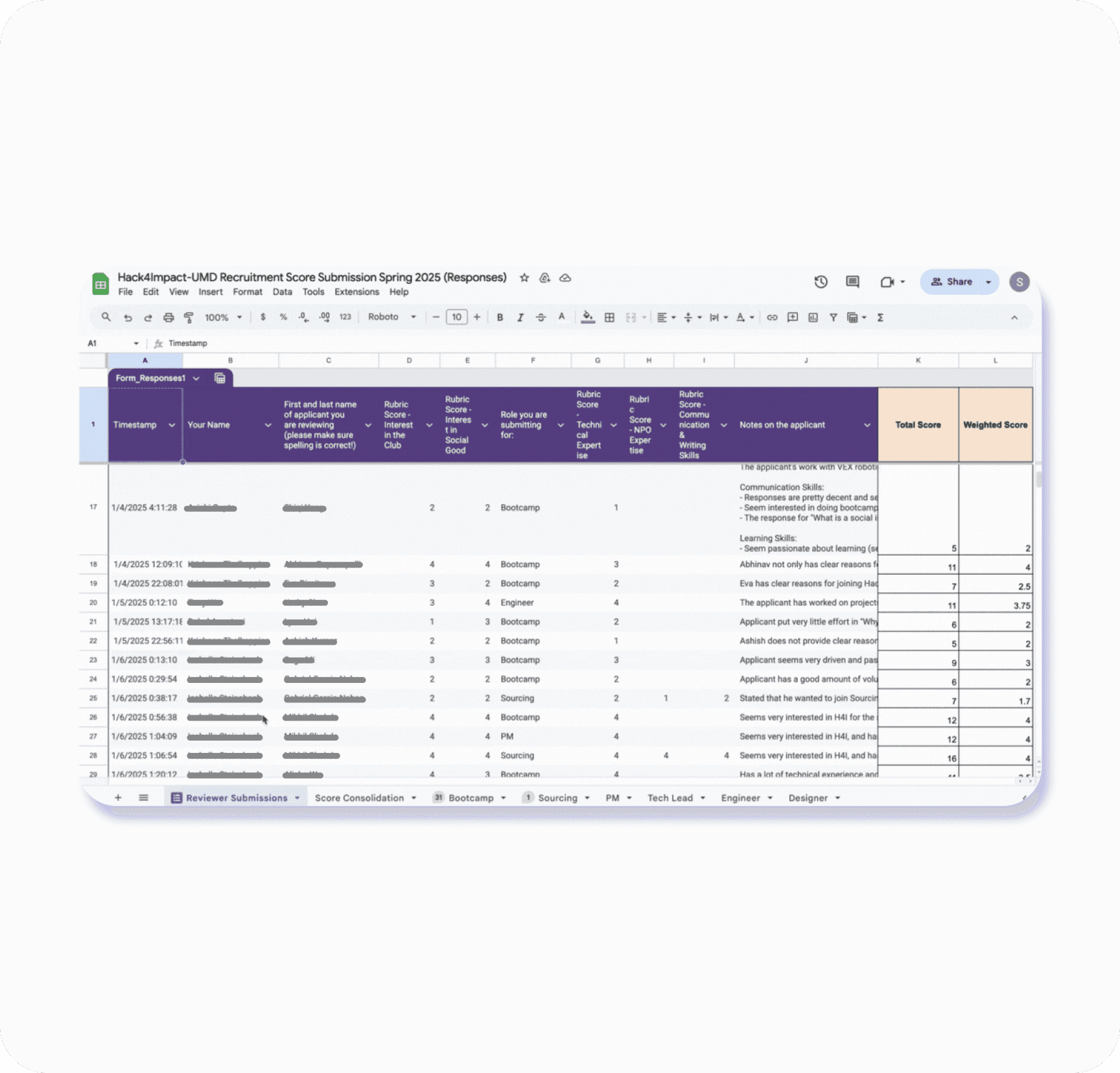
Reviewers and the Director of Recruitment had to manage applicant data across multiple platforms such as Google Forms, Notion, and Google Sheets.
Information was scattered, assignments were manual, and reviewing applications required significant effort.
This created an inefficient process with limited transparency for applicants and unnecessary friction for reviewers.
Overall process was inefficient, labor-heavy, and hard to manage at scale
The Solution
Our redesign:
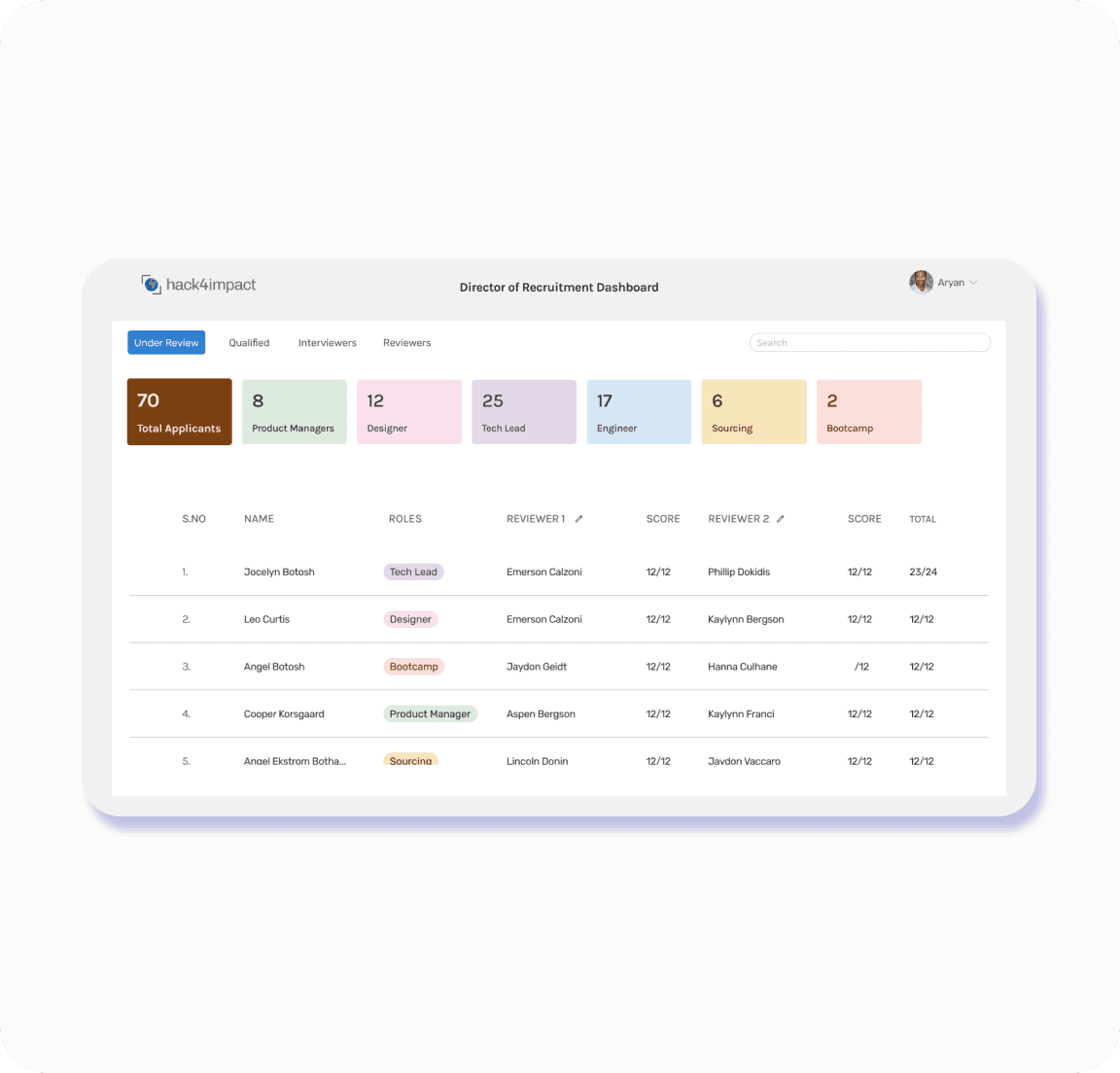
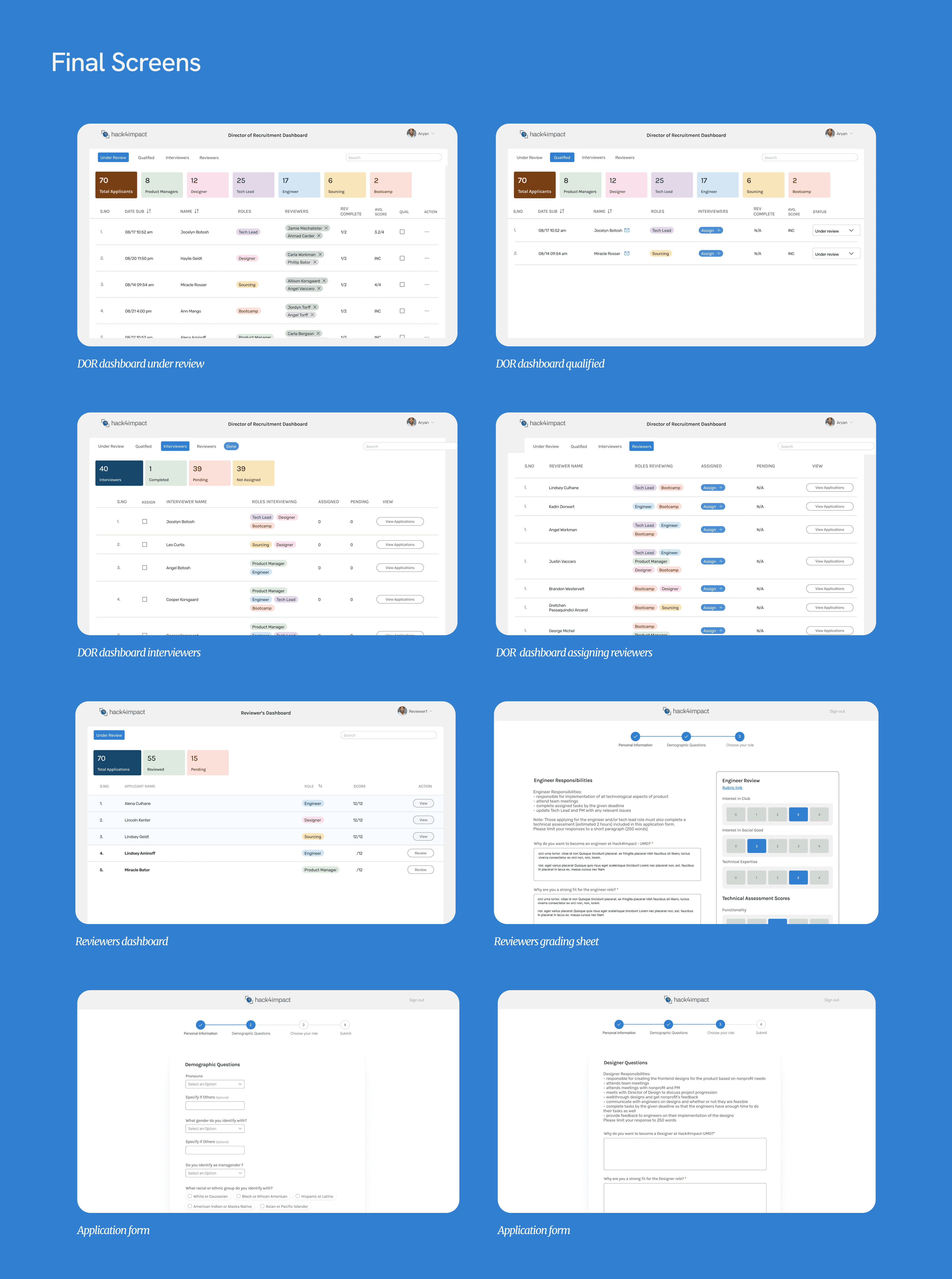
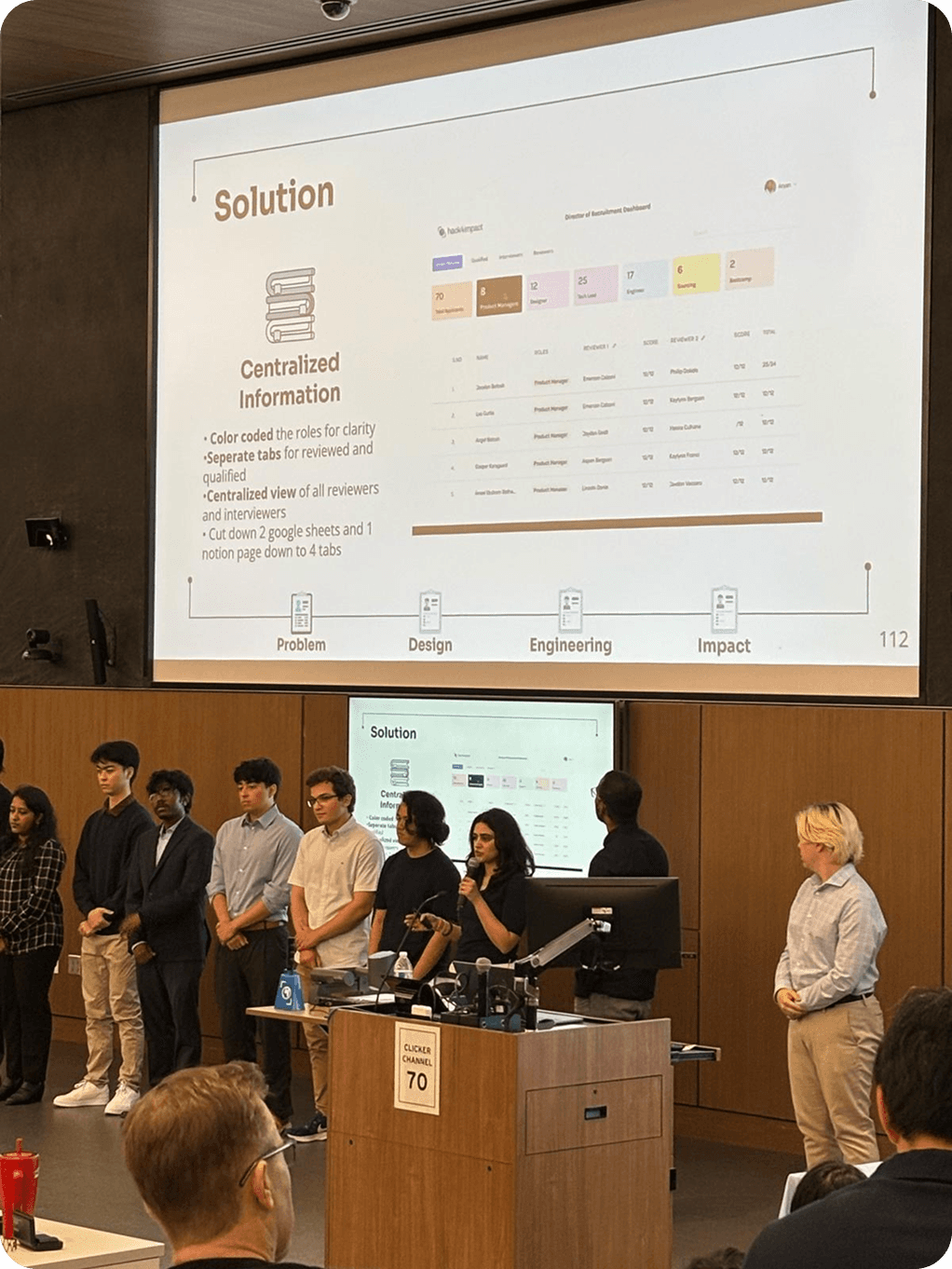
consolidated three separate tools into a centralized four-tab dashboard,
reduced reviewer steps from 6 to 2
simplified a 33-page application into 4 streamlined steps.
Improved efficiency and enhanced data accessibility for reviewers and the director of recruitment.
It also created a more transparent, applicant-friendly experience for prospective members.

01 RESEARCH
What our Stakeholders Think
Director of Recruitment
I interviewed the director of recruitment to understand their current workflow and pain point with their current system. He worked primarily on google sheets.
Unnecessary categories carried over from the Google Form to the google sheets, overcrowding the dashboard
Poor visibility over tracking reviewer progress and identifying new applications
Assigning reviewers and interviewers added a lot of manual workload
There was no way to limit access to reviewers’ to the materials relevant to them.
The director of recruitment needs to repeat this process for 300+ applications and assign 600 reviewers manually
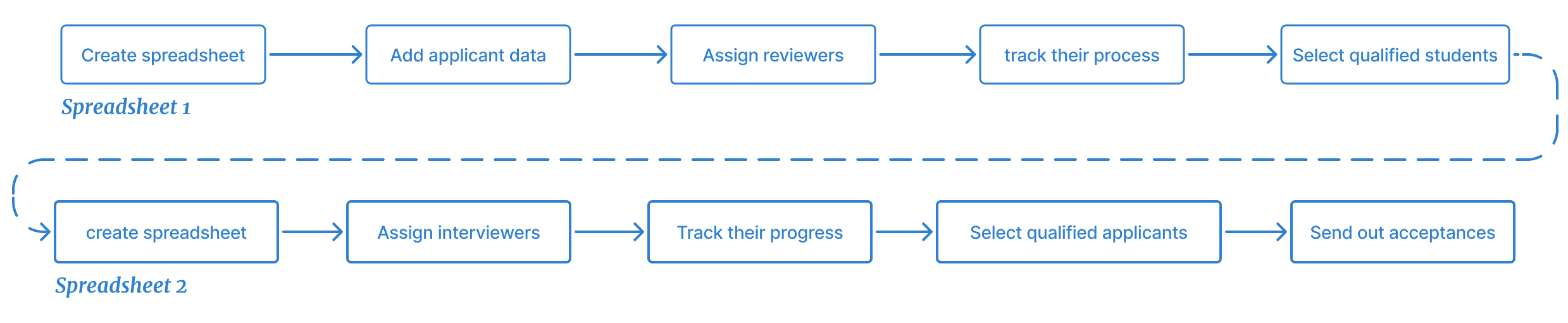
How might we reduce manual effort for the Director of Recruitment and create a centralized system to track progress of the applicants and the reviewers.
Reviewers
I interviewed 12 reviewers to uncover their pain points and current process. The main pain points I discovered were
The reviews toggle through 3 tools for over 20+ applications

How might we give reviewers a clear, centralized view of applicant information so they can complete evaluations without switching between multiple tools?
Applicants
I interviewed 15 applicants to uncover their pain points and current process. The main pain points I discovered were
Applicants lack visibility when it comes to the status of their submission and are left unsure about their progress.
The 33-page application was difficult to complete in a single sitting, as it is long and tedious.
The reviews toggle through 3 tools for over 20+ applications
How might we simplify the application process so that prospective members can complete it with ease, while still giving reviewers the information they need to make informed decisions?
02 IDEATION
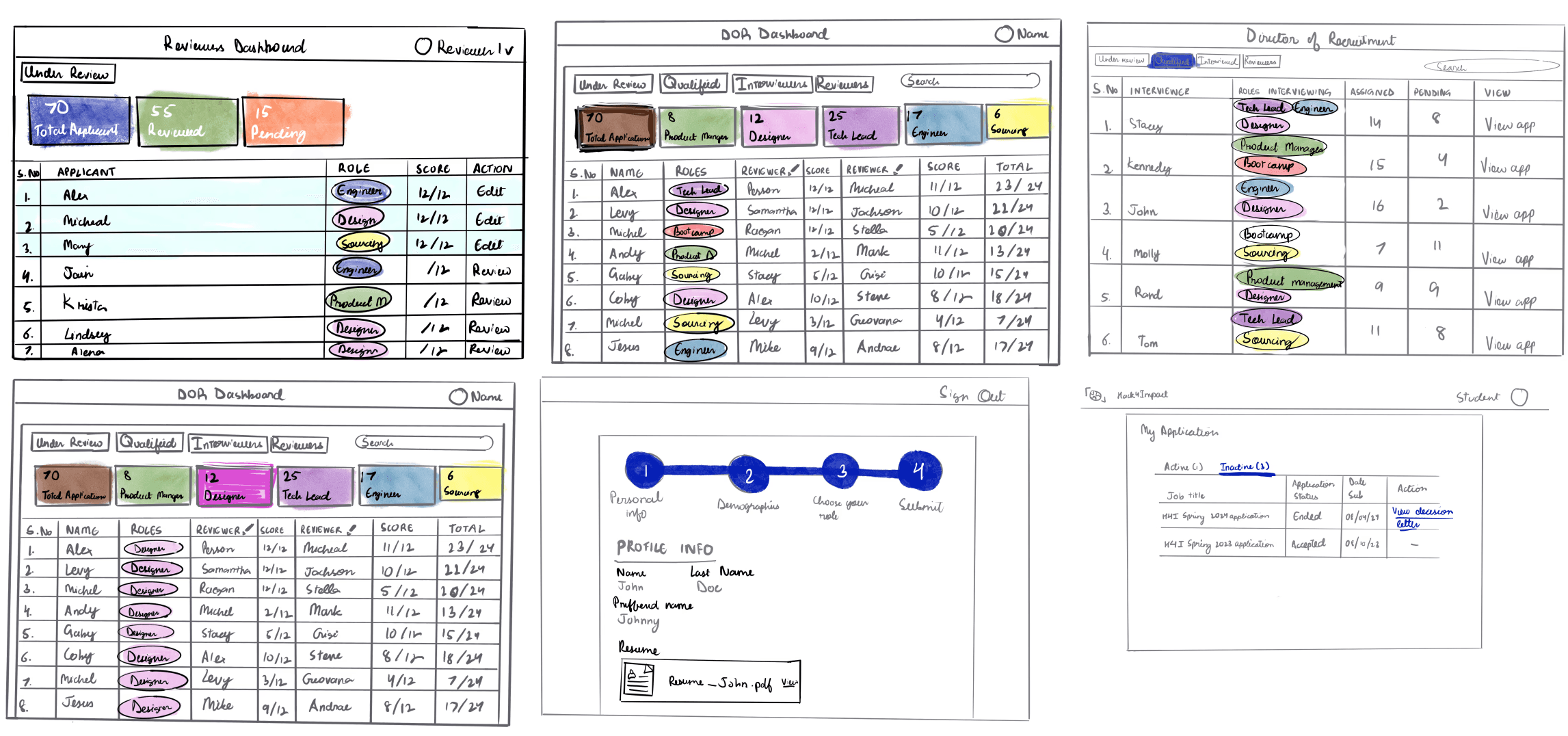
How can we try to create a centralized view for everyones needs
Low Fidelity Sketches
We decided to play with color for quick indicators for each role. SO tracking progress at a glance is easier. We also looked at tabs that are clear and visible to play aorund with.
03 ITERATION
Director of Recruitment Dashboard
Iteration 1
01
Streamlined navigation: View all applications at once or filter by role, with a color-coded system for quick identification.
02
Automated assignments: Reviewers are assigned automatically as applications roll in and participants with the highest scores move into qualified automatically, while still allowing manual adjustments.
03
Reviewer management: Track reviewer and interviewer progress, including how many applications each has completed.
04
Access control: Introduced a login system with role-based permissions, giving users (reviewers and interviews) access only to what they need.

User Testing
Feedback
Director of Recruitment preferred manual assignment over automation, as reviewers needed to be matched by skill set. The exception was Bootcamp, where high application volume made automatic assignment effective.
Automatically moving applicants from “Reviewed” to “Qualified” based on scores did not fit the club’s process. With limited slots and returning members, the Director needed to manually review qualitative data and interview notes before qualification.
Positive Feedback
Sorting applications by role improved clarity.
Being able to track the progress of both applicants and reviewers was highly valued.
! Director of Recruitment Our org went through a leadership transition. A new Director of Recruitment (DOR) stepped into the role just as the platform launched. This shift significantly shaped the feedback we received.
Iteration 2
01
Manual Assignment: Reintroduced and made the manual reviewer assignment feature more accessible and obvious for greater flexibility.
02
Visual Progress Tracking: Color-coded reviewer names (green = completed, grey = pending) to make progress easier to track at a glance.
03
Manual Advancement: Added checkboxes so the DOR can move applicants from Reviewed to Qualified based on their own assessment, instead of relying only on automated grading.
04
Interview Coordination: Introduced an email icon to quickly copy a reviewer or applicant’s email, making it easier to send calendar invites, interview details, or status updates.
05
Holistic Applicant View: (Added the dates) Allowed the DOR to see an applicant’s full history, including how many roles they applied for, to better inform decision-making.


Reviewers
Iteration 1
01
Side-by-side grading: Reviewers can now view applications alongside the rubric and submit scores without switching between tabs.
02
Progress tracking: A clear view of new vs. pending applications makes it easy to track review progress.

User Testing
Feedback
• Once an application has been submitted you cna not view the result, and that would be a good edition.
• Otherwise it has made the process of reviewing very easy and takes much less time. It has increased find-ability of the application and is intuitive to use.
Iteration 2
01
Viewing: We added a View button so reviewers can see the applications they’ve already graded. They will not be able to go back and edit any of their actions, as edits are not permitted per the organization’s guidelines.

Applicants
Iteration 1
01
Streamlined form: Reduced the original 33-page Google Form into a 4-step application with drop-downs and horizontal pills to shorten scrolling.
02
Clear progress feedback: Added a progress bar to help applicants understand how much they’ve completed.
03
Application transparency: Introduced status pages with live updates so applicants can track their progress and even view past application outcomes.


User Testing
Feedback
• Applicants noted that the new form was much shorter and easier to complete compared to the previous year.
• They appreciated that it significantly reduced the overall time required to fill out, while still encouraging deeper reflection.
• Any additional time spent was attributed to the thought-provoking nature of the questions, rather than the form’s structure or design.
04 DESIGN
Design System

My Learnings
Collaboration with Developers
Building on Existing Systems
Since the team had to build on an existing system that spanned multiple platforms including one earlier attempt at designing this dashboard, reviewing all prior material was essential. Weekly sprint planning and regular meetings with tech leads, project managers, and stakeholders helped define scope and ensure alignment. This iterative model made it possible to design a product that solved the core problem.
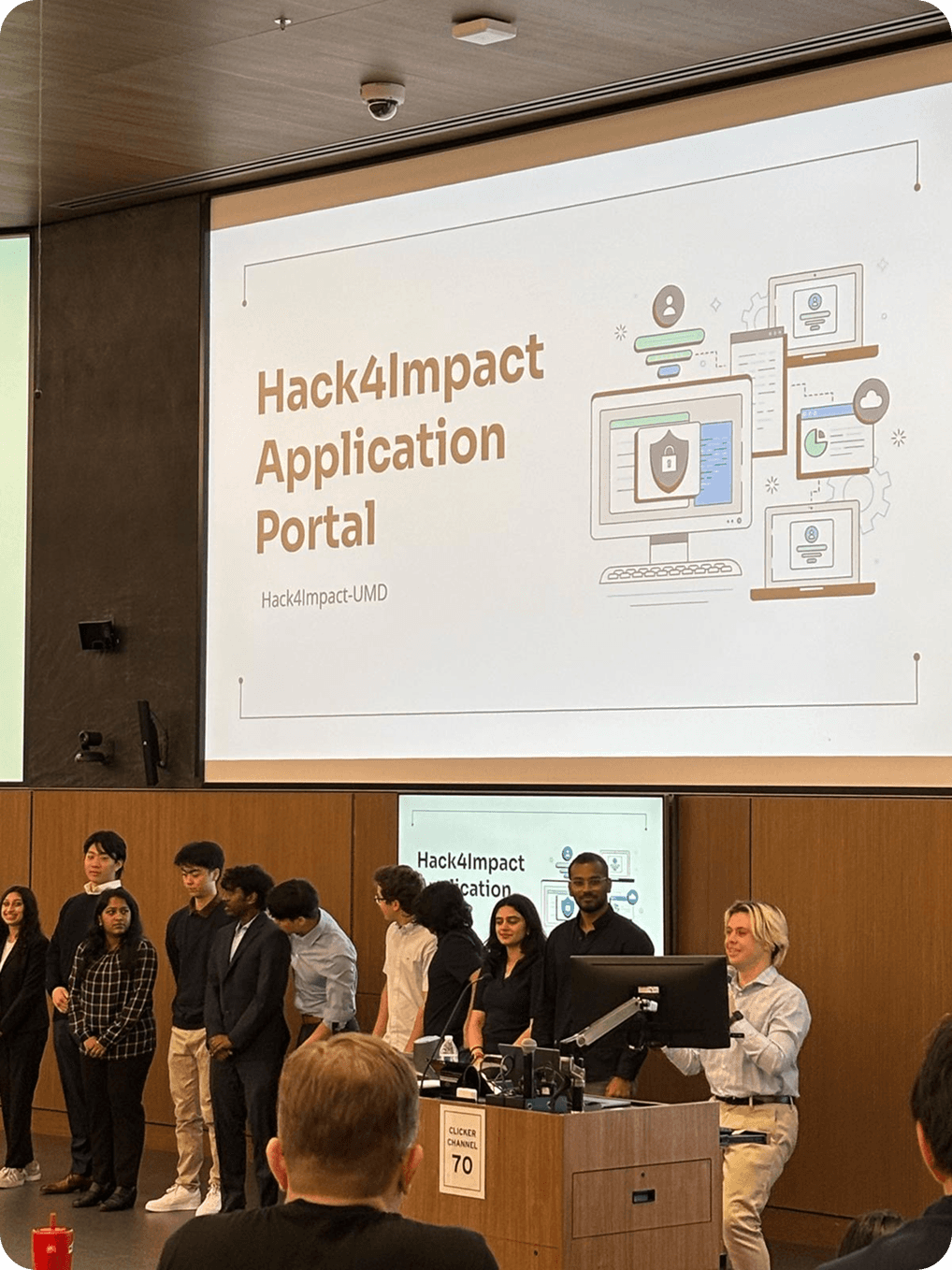
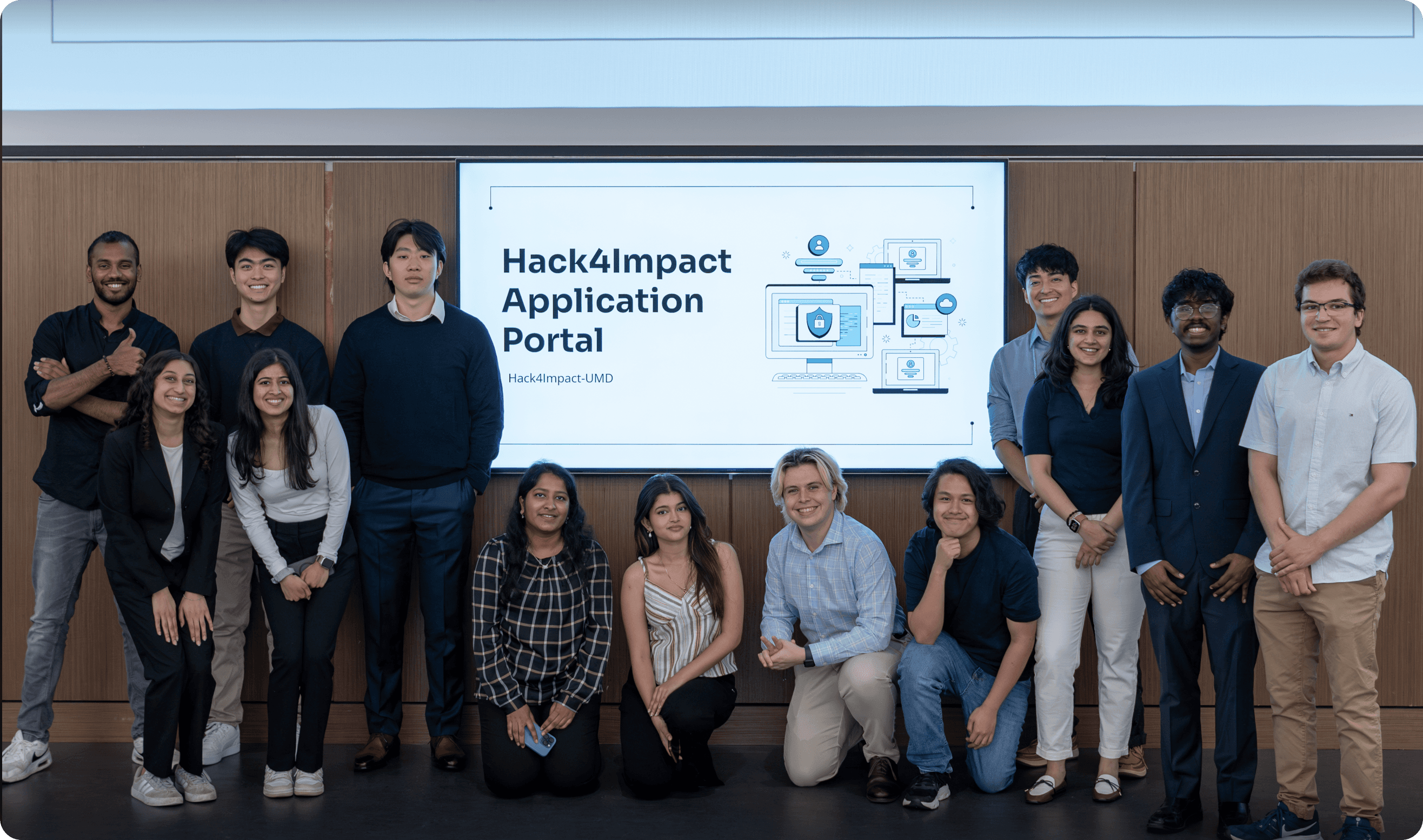
My Amazing Team
Check out more of my work
2025 • B2B • Documentation for Data and AI
Documentation system for Stardog
Closed the gap between how Stardog organizes its products and how customers use them redesigning the documentation to support real workflows.